Features
GarageStack signs in to the SAIC iSmart API, the same backend the official MG app uses, and turns what your car reports into something worth opening.
See the car at a glance
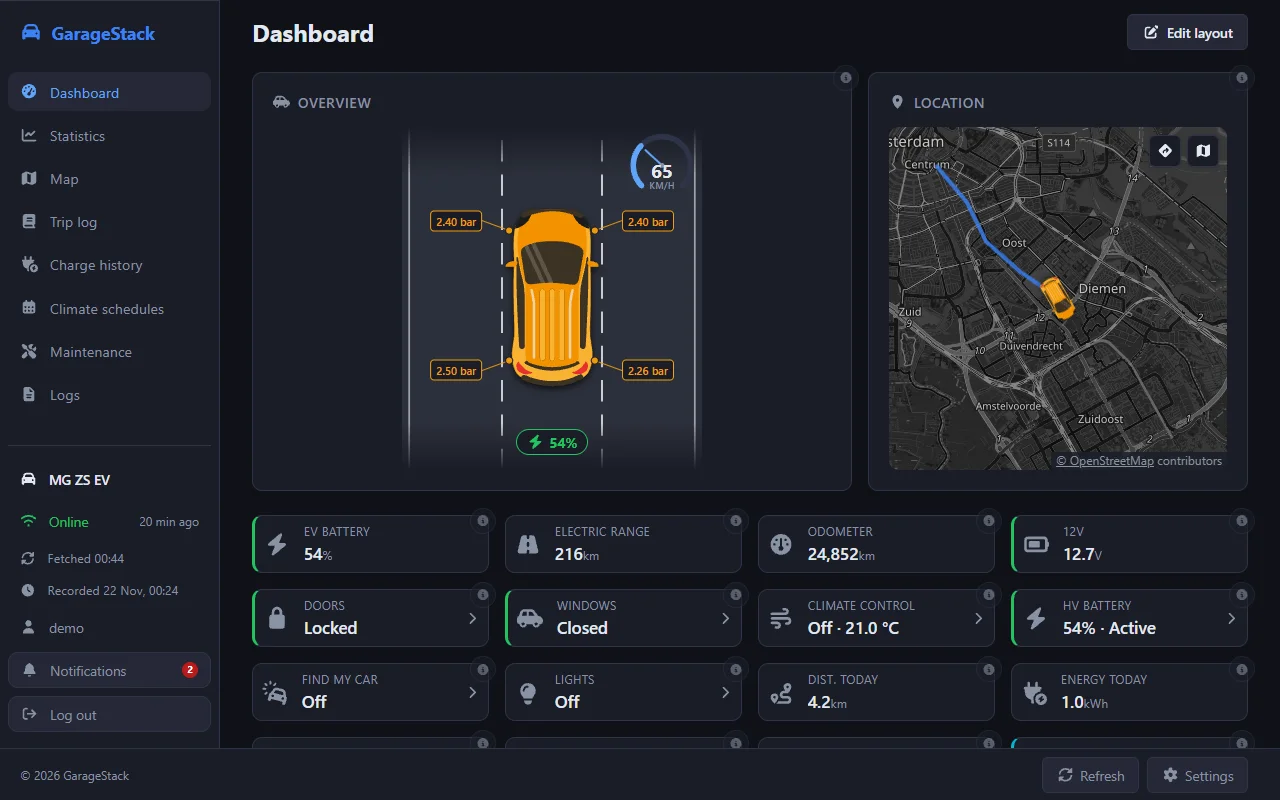
One live dashboard, with the cards that fit your hybrid, plug-in hybrid or full electric car.
- Fuel, battery, range, tyre pressures, doors, windows, lights and climate.
- Reorder and hide the cards, and draw the car in its own colour.
- Tap a tyre for a month of pressures; a tyre falling behind the others is flagged as a slow puncture.
- Walking directions to where the car is parked.
Every drive on a map
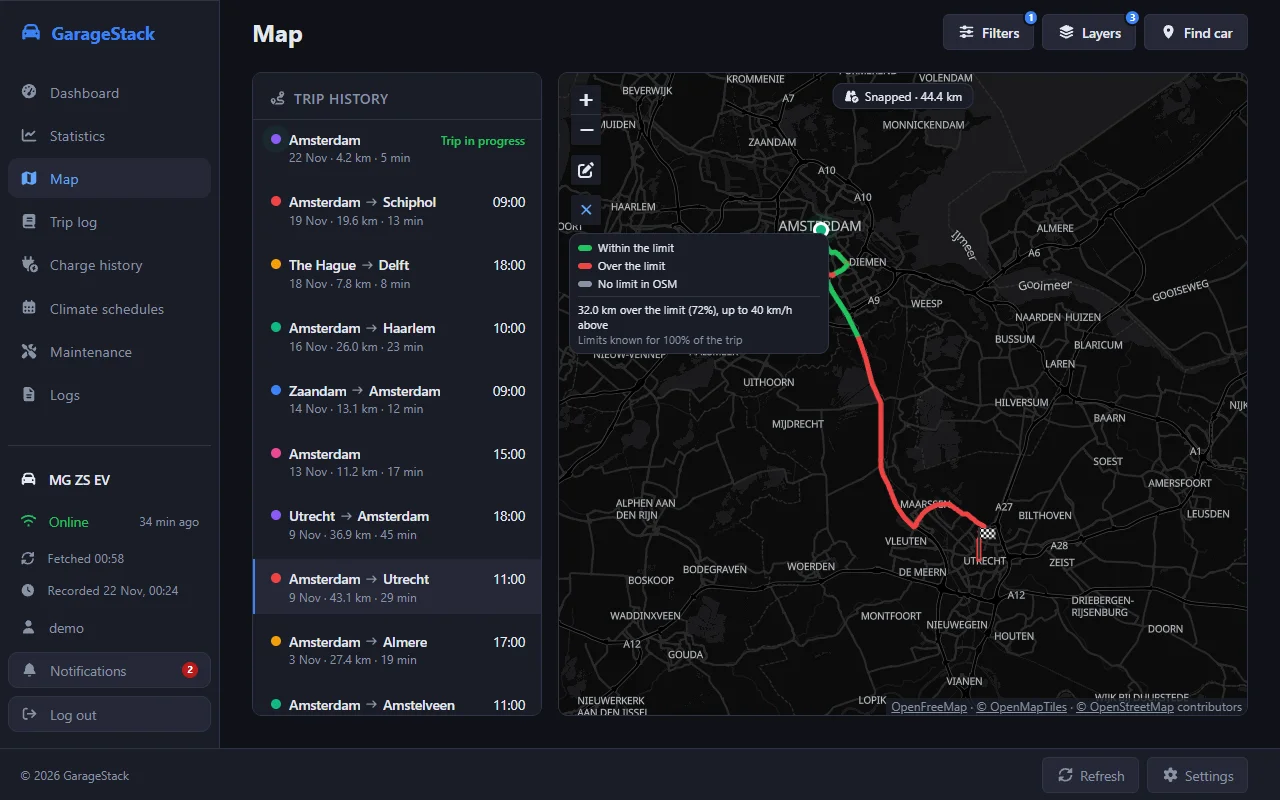
Trips are saved by themselves a few minutes after the car parks, and named by where they went.
- Drawn along the roads you took, over a heatmap of the roads you drive most.
- Coloured by speed, or against the speed limits along the way.
- Charging stations, fuel stations, service areas and speed cameras as map layers.
- Fill gaps in a trip with your phone's GPS from Dawarich.
A trip log for the taxman
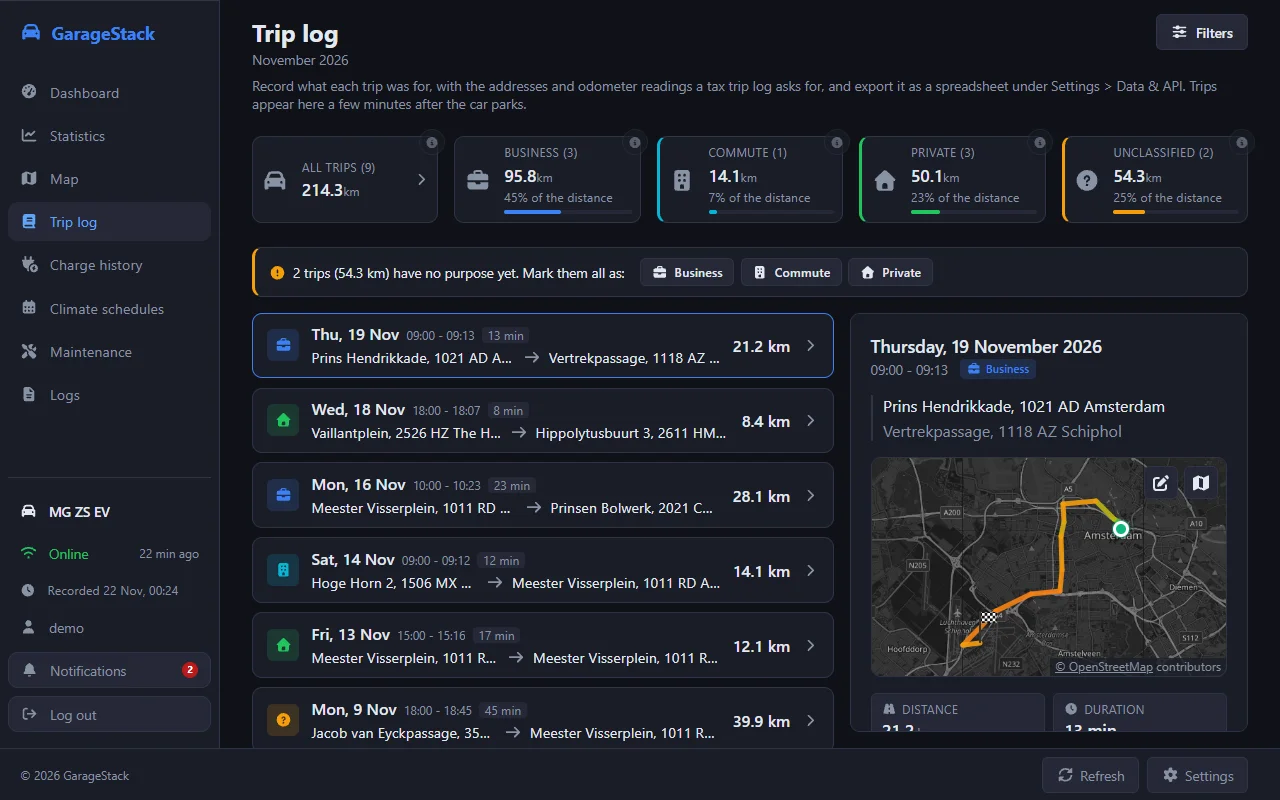
The addresses and odometer readings a tax trip log asks for, kept for you.
- Mark trips as business, commute or private; commutes between home and work mark themselves.
- Add notes, hide a GPS glitch, and join two trips a fuel stop split.
- Fix a route the car recorded badly, right on the map.
- Export a month or a year as a spreadsheet.
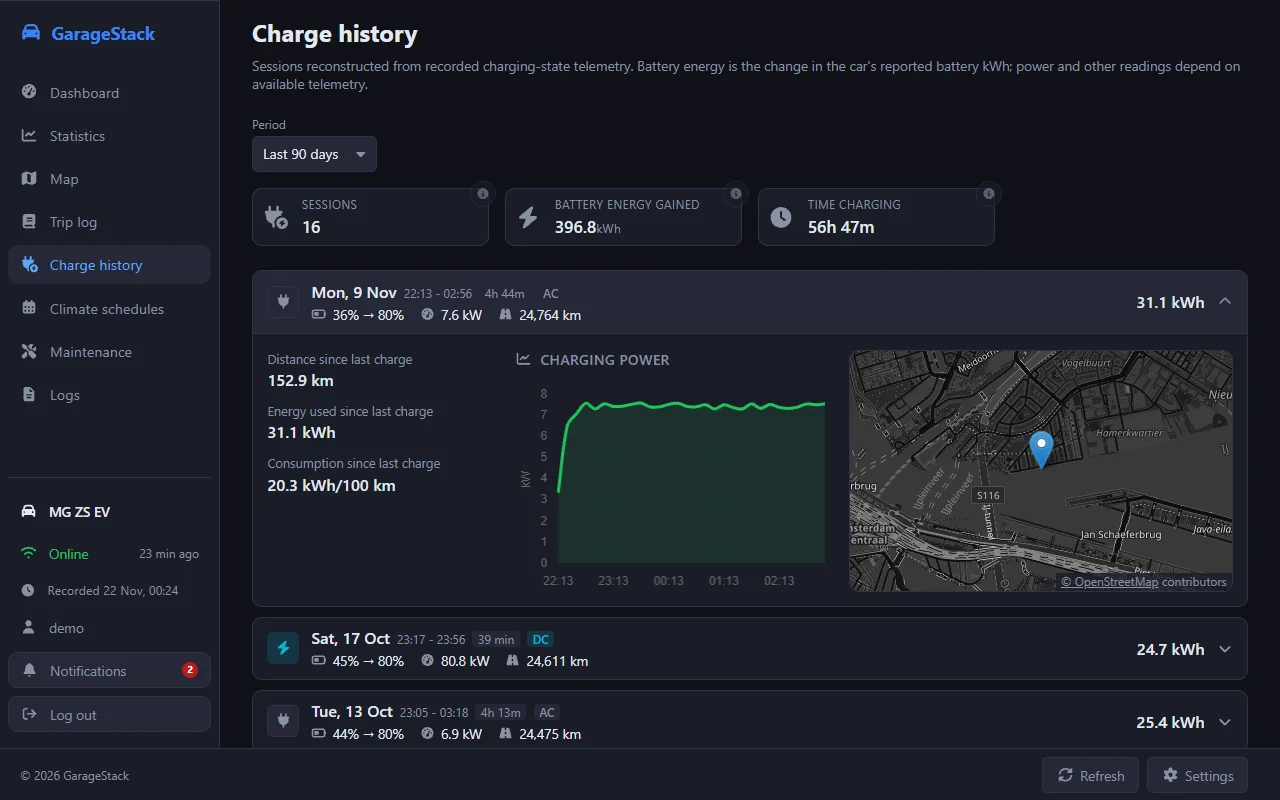
Charging and energy
Every charge, and how far each one took you.
- Sessions with their duration, state of charge, energy gained and peak power.
- The power curve of each charge, where it charged, and the consumption since the one before.
- Statistics on energy and fuel use, efficiency and electric share, from a week to several years.
- Kilometres or miles, L/100 km or mpg, Celsius or Fahrenheit.
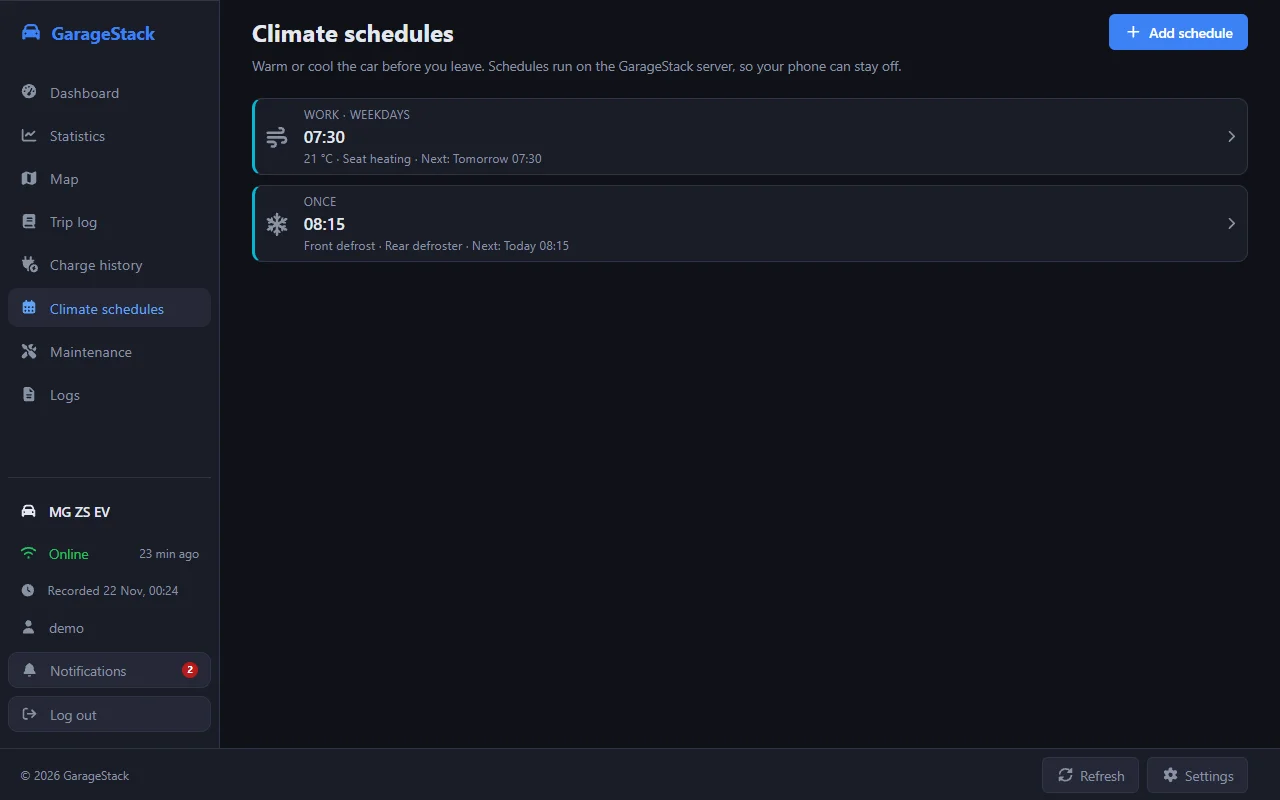
Control it from anywhere
Every command reports whether the car carried it out, and if not, why.
- Pre-condition the cabin, lock or unlock, open the boot, or flash the lights to find the car.
- On a plug-in car: start or stop charging, set the charge limit and the schedules.
- Climate schedules for weekday mornings or a one-off trip, with seat heating and a skip for mild days.
- Schedules run on the server, so no phone has to be open.
- Low or high tyre pressure
- A slow puncture
- Car left unlocked
- Door or window left open
- Moved while parked
- Charging complete or interrupted
- Low battery or fuel
- A weak 12V battery
- Arrived home or at work
- Maintenance due
- A climate schedule ran
- Messages from the MG app
Hear when something is off
Push notifications on your phone and computer, and in the app's bell.
- Each device picks the notifications it wants.
- A car that sleeps for days with a soft tyre is reported once, not every hour.
- Lock the car or log a service straight from the notification.
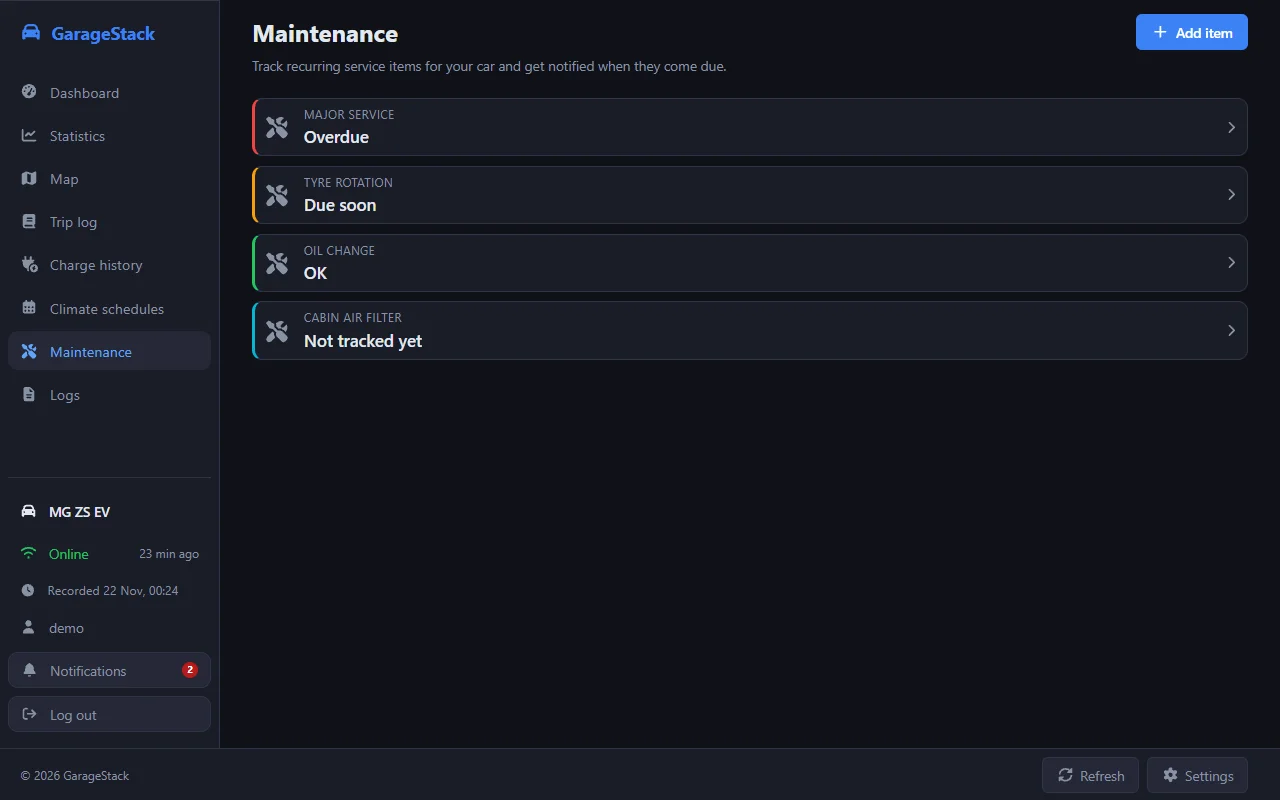
Maintenance and registration
Know what is due before the car tells you.
- Service items by distance, by time or both, worked out from the odometer.
- Log each service, and see the most urgent item on the dashboard.
- A Dutch plate shows the APK date and open recalls from the RDW.
- A calendar feed with the due dates and the coming climate schedules.
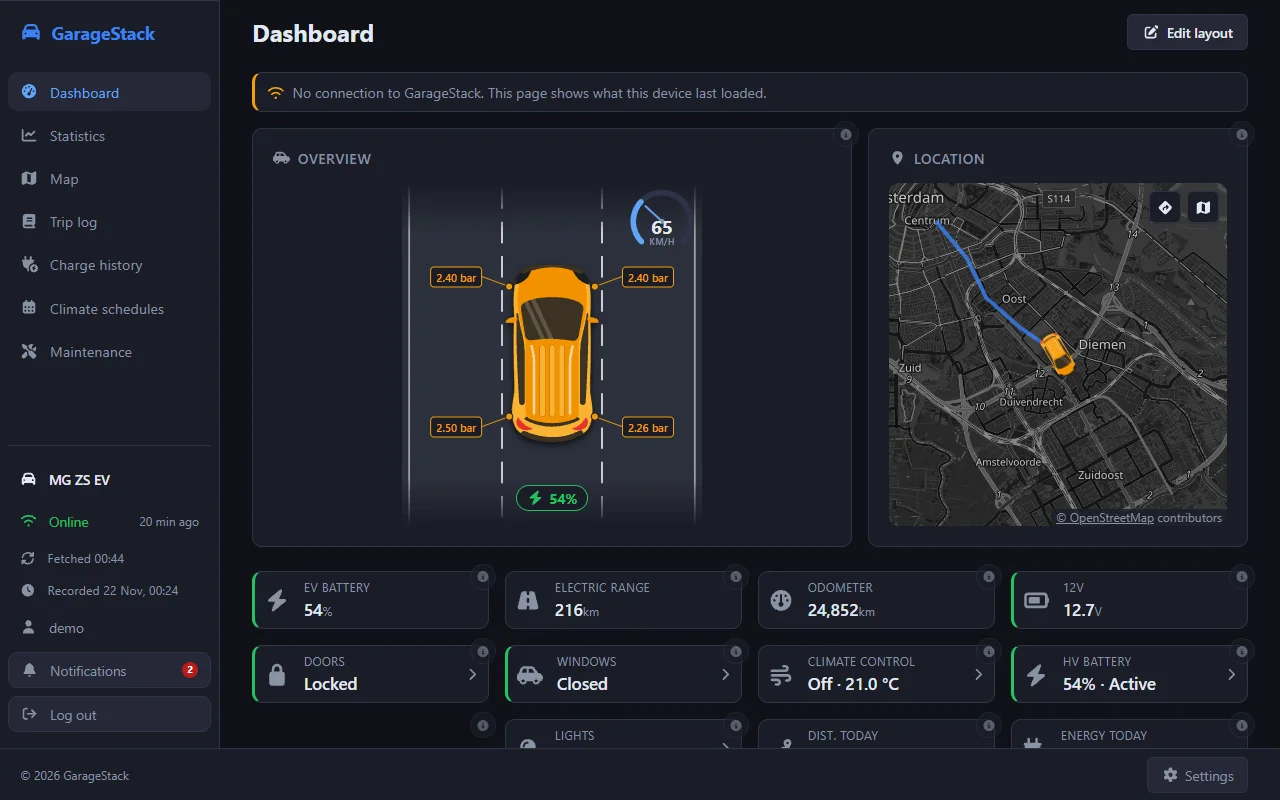
An app on every device
Install it on your phone or computer like any other app.
- Opens without a connection, showing what it last loaded, maps included.
- Dark or light theme, and English, Dutch, Spanish or Portuguese.
- Your layout and settings follow you to every device.
- Works from a small phone to a wide screen.
Fits into your homelab
Built to sit next to the rest of your self-hosted services.
- Home Assistant The car appears through MQTT discovery, sharing GarageStack's MG session.
- Homepage widget Key stats on your gethomepage.dev dashboard.
- Single sign-on Authentik, Authelia, Keycloak, Pocket ID or any OpenID Connect provider.
- Read-only API Tokens for scripts and dashboards, and an OpenAPI description of every endpoint.
What stays home
The car's telemetry, its trips, your notifications and your settings stay on your server. A few features ask public services for what they know, such as OpenStreetMap for place names and map layers, and each one apart from the MG servers can be switched off.